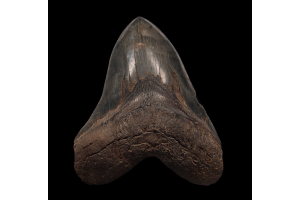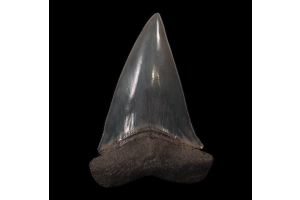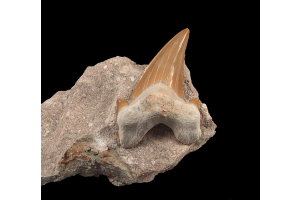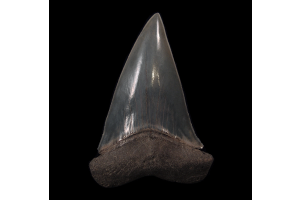


You don’t need to waste hours hunting underwater creatures. You can take control. If you want to know how to spawn a Megalodon tooth in ARK, you landed in the right place. This guide gives you the exact steps you need. No guesswork. No confusion. Just straight instructions that help you get the job done. Whether you want to avoid the grind or speed up boss prep, you can use this method and save your in-game time for the things that actually matter.
Let’s explore more detailed information:
Understand What the Megalodon Tooth Does
Every time you take down a Megalodon in the game, you have a chance to collect a tooth. The game treats this as a trophy item. You need it for crafting and to summon certain bosses. If you plan to advance through the more challenging stages, you need to collect enough of these. Many players encounter slow drop rates and become frustrated. You can avoid that cycle. Once you know what the tooth unlocks, you can decide if it makes sense to farm it or spawn it with admin commands.
Choose Spawning Over Farming
You can spend hours hunting Megalodons, or you can skip the hassle and spawn the item. Most players reach this decision after they get tired of chasing random drops. One Megalodon might drop a tooth. The next three might drop nothing. That breaks the flow of your progress. Instead of wasting time and resources, you can use a quick console command to achieve this. You avoid risk, skip long dives, and get exactly what you need. The command works for single-player mode or servers where you hold admin rights.
Set Up Your Console Access First
You need access to the admin console before you spawn anything. If you play in single-player mode, you already hold the correct permissions. You need to open the console. On PC, press the TAB key. On Xbox, press LB, RB, X, and Y together. On PlayStation, press L1, R1, Square, and Triangle together. You will see the command box appear on the screen. Once it opens, you can enter the item code. Make sure you stand in a safe location before using any command to avoid unwanted attacks.
Follow Best Practices When Spawning
Use the command wisely. Don’t flood your inventory with dozens of items just because you can. Spawn only what you need. Wait until you stand in a safe zone. Avoid spawning during active fights or missions. If you play with others on a shared server, tell them before using any commands. They may follow specific rules. Maintain a fair gameplay experience for all participants. When you understand how to spawn a Megalodon tooth in ARK, you gain the ability to fix real issues like item loss, preparation work, or stuck progress. Responsible spawning makes your time in ARK more efficient, not less fun.
Pick the Right Time to Spawn
You don’t need to justify why you spawn an item. You just need to make sure it serves your gameplay goals. Use the command if you plan to summon a boss and you miss a few Megalodon teeth. Use it if the game glitches and deletes your inventory. If you build test runs or run a creative world, this command lets you skip the repetitive parts and get straight to your setup. Keep your gameplay smooth. When the tooth unlocks progress and the hunt feels like a chore, spawn it and move forward.
Watch for Common Mistakes
Many players attempt to type the command manually, often making simple mistakes. The string has complex formatting. You might forget a quote or add a space that doesn’t belong. That breaks the command. Stick with the copy-and-paste method. You’ll save time and avoid frustration. Some players also forget to adjust the quantity number. If you need ten teeth, type “10” instead of “1” in the command. Another mistake involves forgetting how much space your inventory has. If it overflows, you may not notice that every item shows up.
Change the Quantity When Needed
You don’t have to type the command multiple times to get more teeth. Just adjust the quantity number before you run the code. The last three numbers control what appears in your inventory. The first number after the blueprint sets the item count. If you enter “1,” you get one tooth. If you enter “25”, you get twenty-five. Make sure you leave the other two numbers at zero. Those control quality and blueprint settings, and you don’t need to change them for this resource. Keep it simple and you get precisely what you want.
Communicate Before Spawning on Servers
Many players share their world with others. If you run commands in those worlds, always let your team know first. Some servers follow strict rules. Others allow spawning for convenience. Either way, talk to your tribe or server admin. You keep trust strong when you stay transparent. Explain why you want to spawn the Megalodon tooth. If you need it for boss prep or fixing lost loot, most players understand. If you spawn items without a good reason, you might create tension. Respect your team, and your gameplay stays smooth.
Final Thoughts
You now understand the value of skipping the long grind. You don’t need to dive for hours or rely on random drops. You control the outcome. The admin command gives you a reliable way to collect the item and focus on what you enjoy most in the game. When you search for a specific item like megalodon tooth ark, you want speed and certainty. Use the command when the hunt becomes too much of a burden. Use it when time matters more than loot. You can always choose the grind, but now you also hold the power to skip it when needed. Let the ocean rest. You’ve got the code that gives you what you need.
Footnote
Use the spawning command as a tool, not a shortcut. When used wisely, it saves time and keeps your gameplay focused and frustration-free.